The Problem
The automated shades industry had converged on two remote control patterns, and both were failing users. The first was bare-bones hardware: simple button remotes that required memorised multi-press sequences for anything beyond basic open/close. The second was feature-rich control through third-party smart home platforms — Amazon Alexa, Google Home — which pushed complexity off the device but introduced a hard dependency on cloud connectivity and power, directly at odds with battery-operated shades in homes and commercial spaces where reliable internet wasn’t guaranteed.
Automate’s brief was broad: improve the user experience for the next generation of their Push remote range. The real work began in turning that brief into a product definition — identifying which problem to actually solve, and what constraints any solution had to respect.
Constraints That Shaped the Product
The design space was tighter than a blank-slate product brief would suggest.
Input model
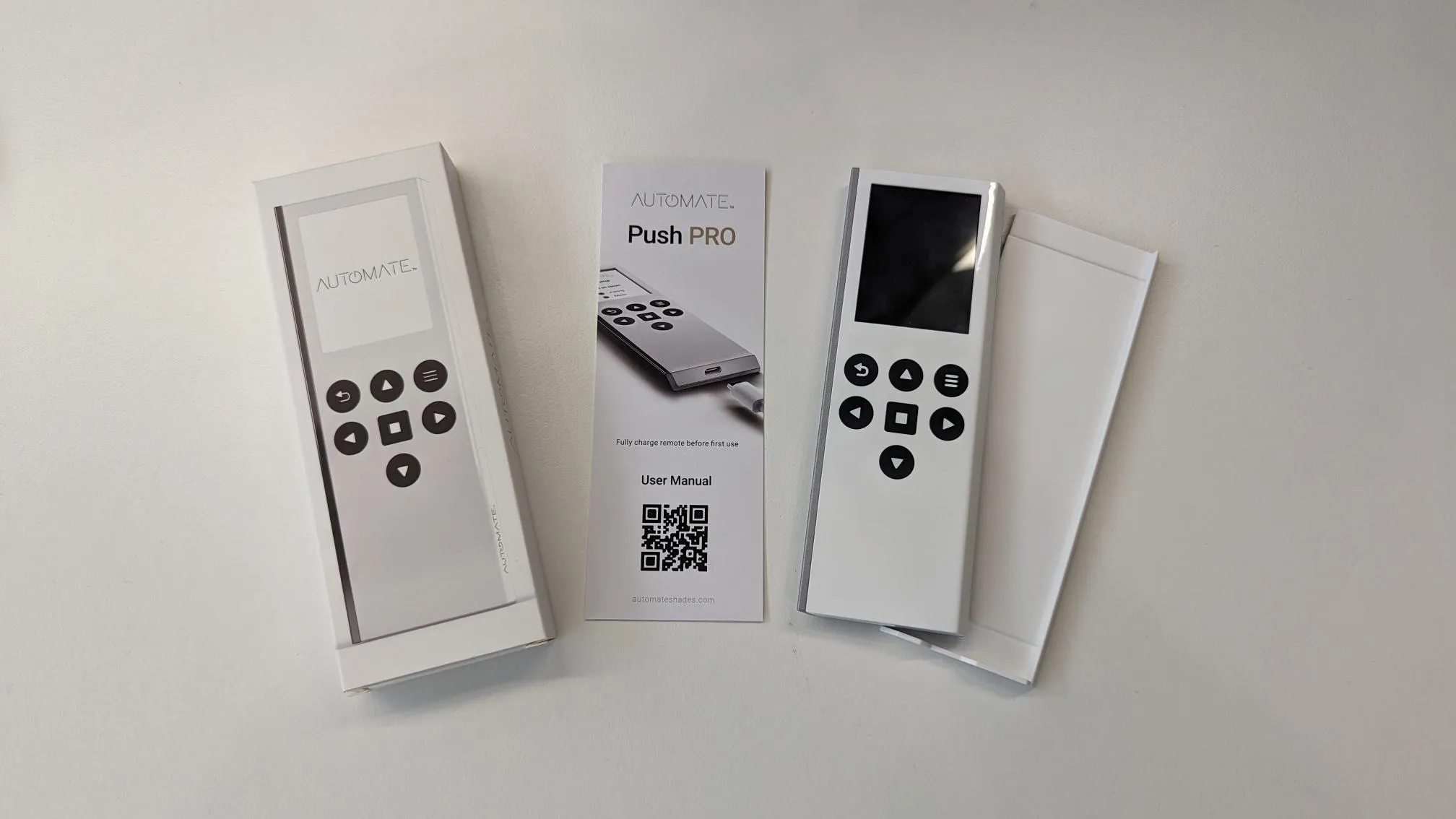
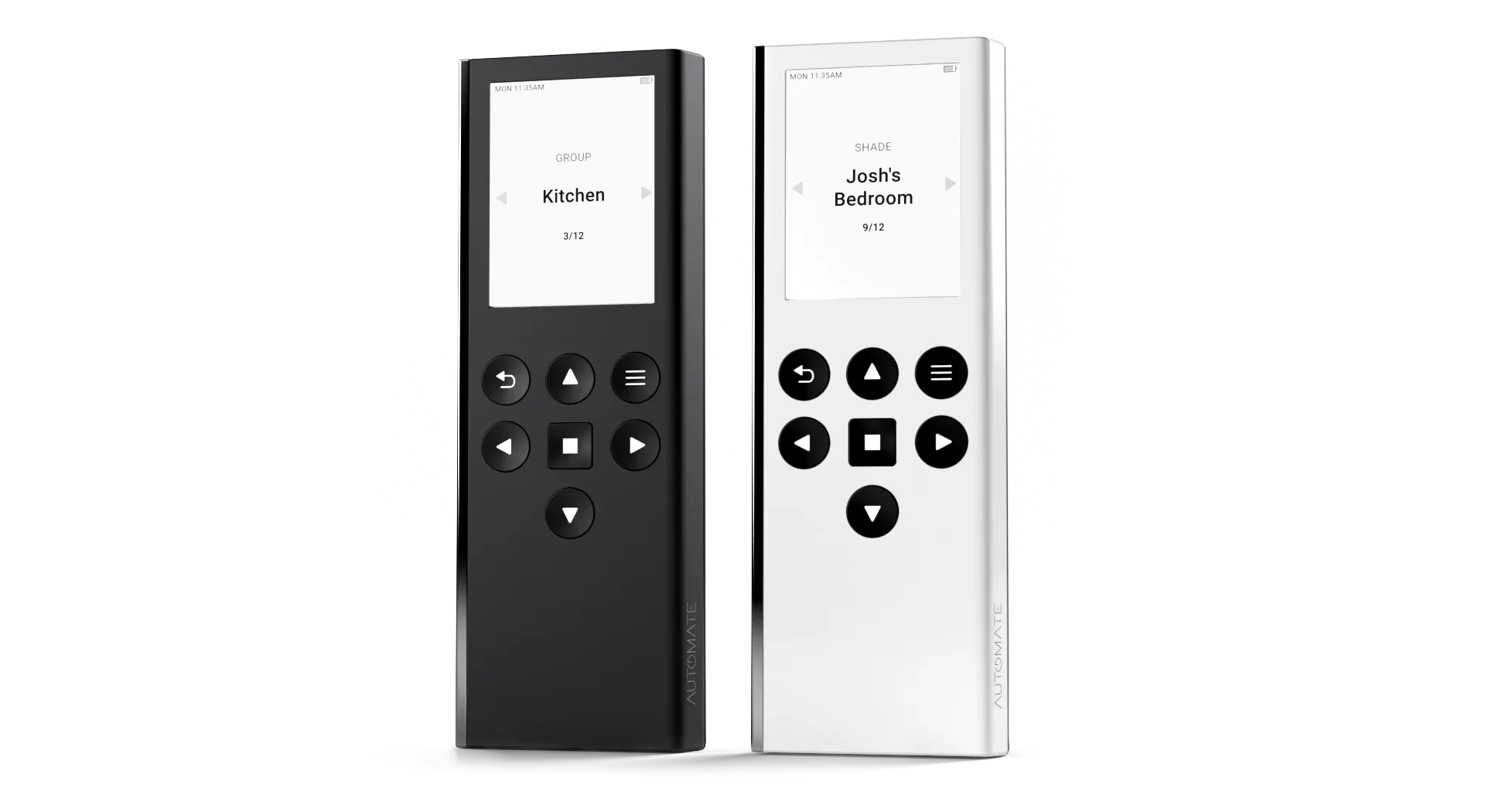
The physical form factor was fixed — a handful of buttons and a small full-colour screen, no touchscreen. Every UX decision had to be achievable with that input vocabulary. Features that would be trivial with a touch interface (drag-to-reorder, tap-to-name) required fundamentally different solutions.
Offline-first, no exceptions
Battery-powered shades can’t assume connectivity. Any feature — timers, grouping, automation — had to run entirely on-device. This ruled out a companion app or hub as a way to simplify firmware complexity, and it meant the remote itself had to carry the full product experience.
Cost envelope
The shades market is margin-sensitive at retail. Component selection and BOM had to stay within a cost target that kept the remote commercially viable, which meant trade-offs on screen size, sensor capability, and processing power were real, not theoretical.
Regulatory certification
As an RF product shipping to multiple markets, the hardware had a hard freeze deadline driven by certification timelines. Slipping that milestone meant slipping the launch, so the interaction between hardware decisions and schedule wasn’t abstract — certain choices were simply off the table past a given point.
Product longevity
Automate expected a multi-year production run with ongoing firmware updates. Any design decision that would date the product or require hardware revision to support future features was a hidden cost.
Decisions and Reasoning
Staying standalone
The first significant product call was whether to scope automation features onto the device or offload them to a hub or app. A hub would have reduced firmware scope considerably. The case against it was straightforward: the product’s core differentiation was that it worked without infrastructure, and splitting the experience across two devices would undermine exactly what made it worth building. That decision locked in a more complex firmware requirement but kept the product coherent.
A greyscale UI designed to not age
The screen hardware was capable of full colour, and early thinking assumed we’d use it. Through the UX design process — working through wireframes and prototypes with stakeholders — the team converged on a deliberately muted greyscale palette instead. A remote with a multi-year production life shouldn’t look dated in year three, and a monochromatic approach proved cleaner at the screen’s resolution and easier to keep visually consistent across firmware updates. Colour was reserved as a functional signal only: the battery icon turns red when charge is low. For more detail on how this decision developed, see the UI/UX case study.
Rechargeable over replaceable batteries
Timer and automation features meant the device needed to run reliably on a known power curve. A rechargeable li-ion cell gave predictable capacity behaviour and made a low-battery warning actionable — the user charges it rather than hunting for the right battery size. The wake-on-pickup feature (the screen activates when the remote is lifted) also fit better with a rechargeable model where power management was within our control.
Aesthetic continuity with the existing remote family
New tooling was required regardless, so the decision to carry forward the Push family’s ‘parallelogram’ form factor was purely about design coherence — keeping the new remote visually at home in Automate’s product line and familiar to existing customers. The differentiation lived in the screen and what it could do, not the shell.
Layered solution to text entry friction
One of the sharpest UX problems surfaced in testing: naming shades and groups via a scrollable character index was tedious enough that users avoided it, which undermined one of the features that made the remote useful. Rather than redesigning the input model, we addressed this in layers — curated preset names handled the common cases, an edit-after-selection flow let users personalise from a starting point, and case-toggle reduced the number of scroll steps for the remainder. The combined result made naming usable within the existing hardware constraints.
Structured the BOM handoff rather than retaining procurement
For development units, vendor sourcing was run directly — building component shortlists and negotiating initial quotes. Rather than staying in that loop into production, which would have created a bottleneck, the work was packaged into a structured handoff: vendor comparisons, pricing baselines, and BOM documentation the purchasing team could build on for bulk negotiation. Engineering stayed available for technical questions, but commercial decisions sat where they should.
Outcomes
The Push Pro shipped after 2.5 years of development spanning hardware, firmware, UI/UX, compliance certification, and supply chain. Pre-launch testing consistently returned positive feedback on clarity and ease of use — the specific failure modes of the incumbent product category that the product was built to address.
The platform has continued past initial launch: the firmware-updatable architecture and the decision to reuse the existing physical design both supported a longer product life than a more ambitious hardware approach would have allowed. Automate has since continued expanding the Push platform.
For a detailed walkthrough of the UI/UX design process on this project, see the Push Pro UI/UX Case Study.